Showing posts with label Phonemic Awareness. Show all posts
Showing posts with label Phonemic Awareness. Show all posts
Saturday, February 6, 2016

Create Your Own Games / Cards / Activities
Have you ever come across something that would be great to use for your classroom if you could modify it to what you are doing (for example - you love a game you saw, but it didn't use words your classroom was using. I do all the time. So, with the help of a blog post about creating your own files for Teachers Pay Teachers, I figured out how to create templates that teachers can adapt to their classroom.
In my classroom, I have pictures and word files from Fountas & Pinnell and Words Their Way. (I also use Isabella Beck's "Making Sense of Phonics: the How's and Whys," and "Road to the Code.") Copyright rules are based on the person who created the original work. Fountas & Pinnell and Words Their Way give you pictures and word cards to create your own lessons and activities for use in your classroom only. If your classroom has a copy of these texts, then you can use their files to create work for your classroom. You cannot 'sell' your work without asking their permission. There are some great websites online where you can get free images (or buy if you want) to use in the classroom. Two I use a lot are MyCuteGraphics.com and wpclipart.com. They allow you to use their pictures as long as you give them appropriate credit. So, if you are sharing your work using free images, make sure you include an appropriate acknowledgement of where you got the idea, picture, frame, border, etc...
The purpose of this post is to give you templates that you can then use with the resources mentioned above to create instructional tools, games, or worksheets that are adapted to meet the needs of your classroom and your students. These templates can be adapted for any grade and any subject. They were made in Powerpoint. Download the files, edit them, then print out for use in your classroom.
In my classroom, I have pictures and word files from Fountas & Pinnell and Words Their Way. (I also use Isabella Beck's "Making Sense of Phonics: the How's and Whys," and "Road to the Code.") Copyright rules are based on the person who created the original work. Fountas & Pinnell and Words Their Way give you pictures and word cards to create your own lessons and activities for use in your classroom only. If your classroom has a copy of these texts, then you can use their files to create work for your classroom. You cannot 'sell' your work without asking their permission. There are some great websites online where you can get free images (or buy if you want) to use in the classroom. Two I use a lot are MyCuteGraphics.com and wpclipart.com. They allow you to use their pictures as long as you give them appropriate credit. So, if you are sharing your work using free images, make sure you include an appropriate acknowledgement of where you got the idea, picture, frame, border, etc...
The purpose of this post is to give you templates that you can then use with the resources mentioned above to create instructional tools, games, or worksheets that are adapted to meet the needs of your classroom and your students. These templates can be adapted for any grade and any subject. They were made in Powerpoint. Download the files, edit them, then print out for use in your classroom.
Instructional Templates
Game / Activity Templates
- Bingo
- Sight Word Bingo (Google Doc)
- Follow the Path
- Go Fish
- Go Fish (Google Doc)
Worksheet Templates
- Sorting Worksheets
- Word and Picture Sort (Student Sheet) - adapted from Words Their Way
Sunday, December 27, 2015
Using Raz-Kids
Here's information about how to use Raz-Kids. This post was originally written for parents, you can link to that post in Mr. Mott's Home-School Connection blog.
Raz-Kids can be accessed through a computer, phone, or tablet (Click here to download the app). Here's directions on how to use Raz-Kids...
Click here if you would like to learn more about Raz-Kids.
Raz-Kids can be accessed through a computer, phone, or tablet (Click here to download the app). Here's directions on how to use Raz-Kids...
- Go to www.raz-kids.com. (There is a link from our Student Links page.)
- Put in our class name (see log-in information). You will only need to put in our login information the first time you access the site through a new device.
- Have your child find their name and put in their password.
- They are set to go!
Here's some helpful information about what you'll see...


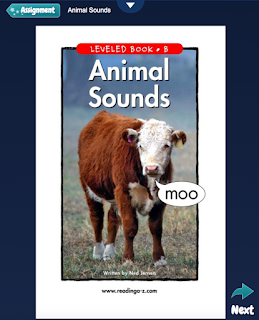

When you click on Reading Assignments or Book Room, your child will see a list of books with these options. (Quizzes are not available on AA Books)...

- Listening - the story will play for students with text being highlighted as it is read. Students earn stars for each story they listen to. The points can be redeemed to personalize their avatar or build a rocket ship.


- Reading - students may read the text at their own pace. Students earn stars for each story they read.

- Recording - When in the Reading window, click on the down arrow.
- Click the microphone.
- It will ask your permission to access the microphone.
- Then, it will ask you to say your name to test the microphone.
- Then, it will begin recording. Use the buttons to stop recording, play, new (redo), or send (to me).
 |
| Click on the microphone to record. |
 |
| Choose record, stop, play, new (redo), or send. |
- Students earn stars for each story they record. I can also reward extra stars after I listen to the recording.
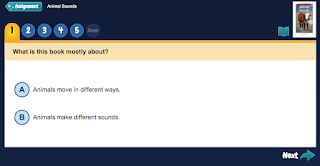
- Quizzes - After listening or reading a story, students may take a comprehension quiz. They click on letters to answer the question and on the words to have the choices read to them. Students can earn stars for each quiz they complete.

Click here if you would like to learn more about Raz-Kids.
Subscribe to:
Posts (Atom)